Tax return & Annual report
Profit/loss planning
In Year-end closing - Calculate tax - Profit/loss planning, you will find alternatives for profit/loss planning via tax allocation reserves.
- Select Maximum contribution, No contribution, Maximum reversal or Own adjustment. Under each alternative, you can see how the taxable profit/loss, the income tax and the recorded profit/loss are affected. Select Own adjustment if you want to enter your own amounts in the fields Reversal of tax allocation reserve and Allocation to tax allocation reserve for the year.
The amount is transferred to field 3.21 or 3.22 on INK2R in Year-end closing - Tax forms.
The profit/loss planning reverses the tax allocation reserves that are required to be reversed by law. Forced reversal must be done after six income years.
Any added tax due to change in taxation should not be recorded on account 8910, but on 8920. This is important so that this amount does not affect the current year's tax calculation.
Once added, an extra line will appear in the profit/loss planning for Adjusted tax.
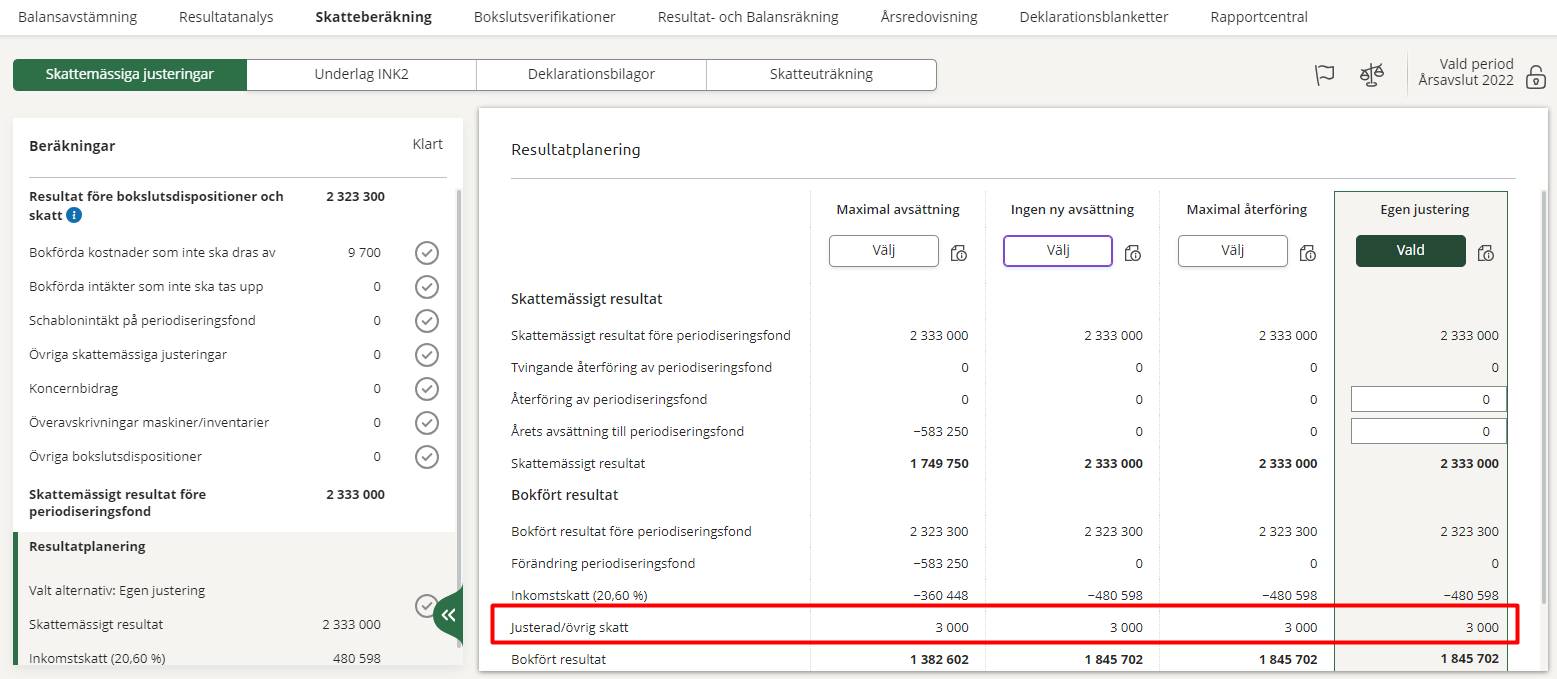
The amount on this row affects both 3.25 and 4.3c of the INK2 tax form.
Overtaking of tax allocation reserve during the financial year
To calculate how much of the tax allocation reserves can be reversed at the end of the tax year, use the opening balances of the accounts in question. If the company has recorded tax allocation reserves received during the financial year, you go to Profit/loss planning - Tax allocation reserve and tick the box The company has bookkept and overtaken tax allocation reserves during the tax year. By doing so, the tax allocation reserves received are also included in the total amount that can be reversed.
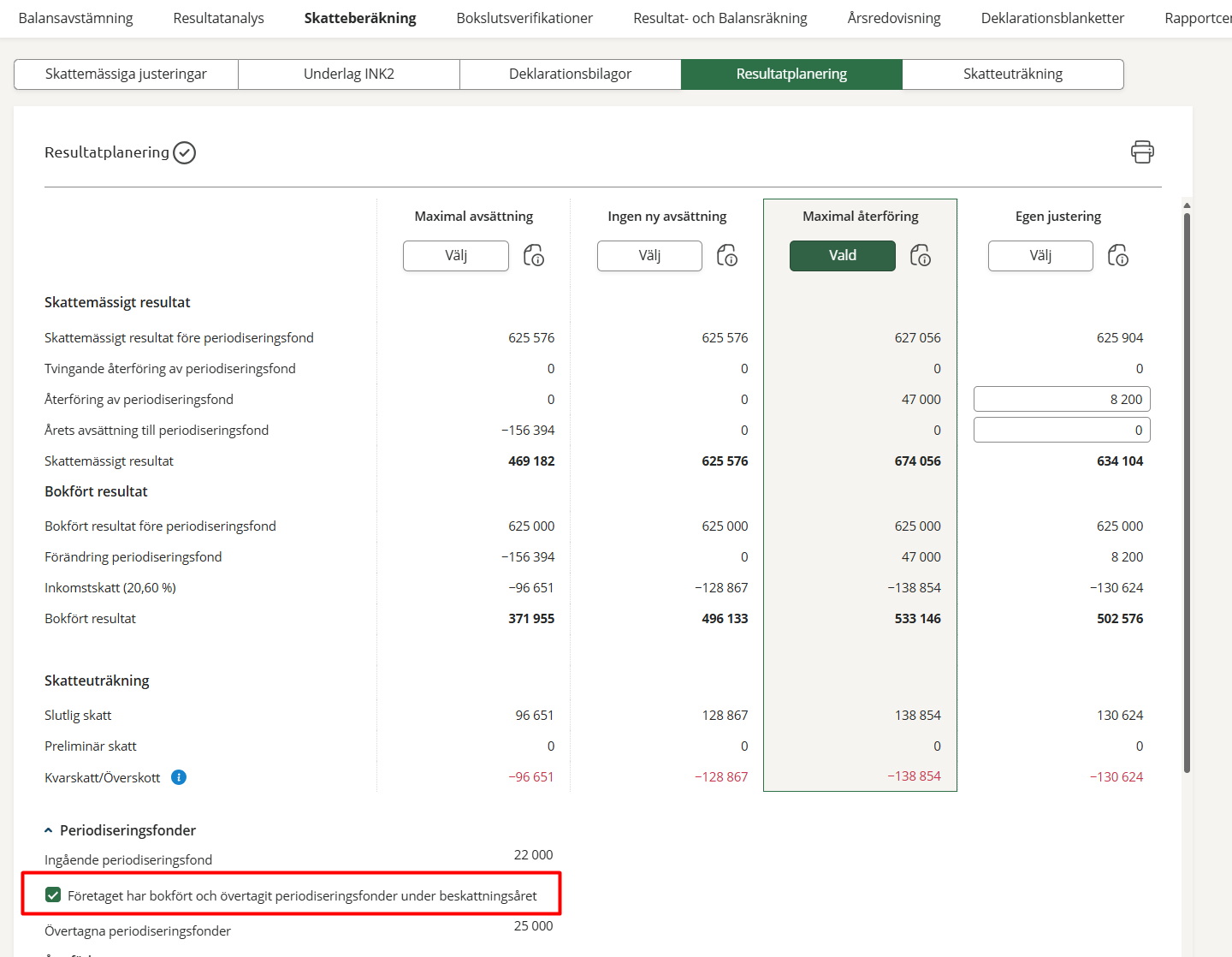
Please note that the six reversible tax allocation reserve accounts linked to each accounting account are used.