Practice management
Get started with collaborations
In this video, we demonstrate how to invite to a collaboration with you customers.
.png)
Getting the most out of your tasks.
Add customer and assign tasks
Add the customer to enable working with
Activate collaboration
On the customer's page, you'll find the Collaborations tab where you choose what the customer should have access to. Connect the solution to a customer task.
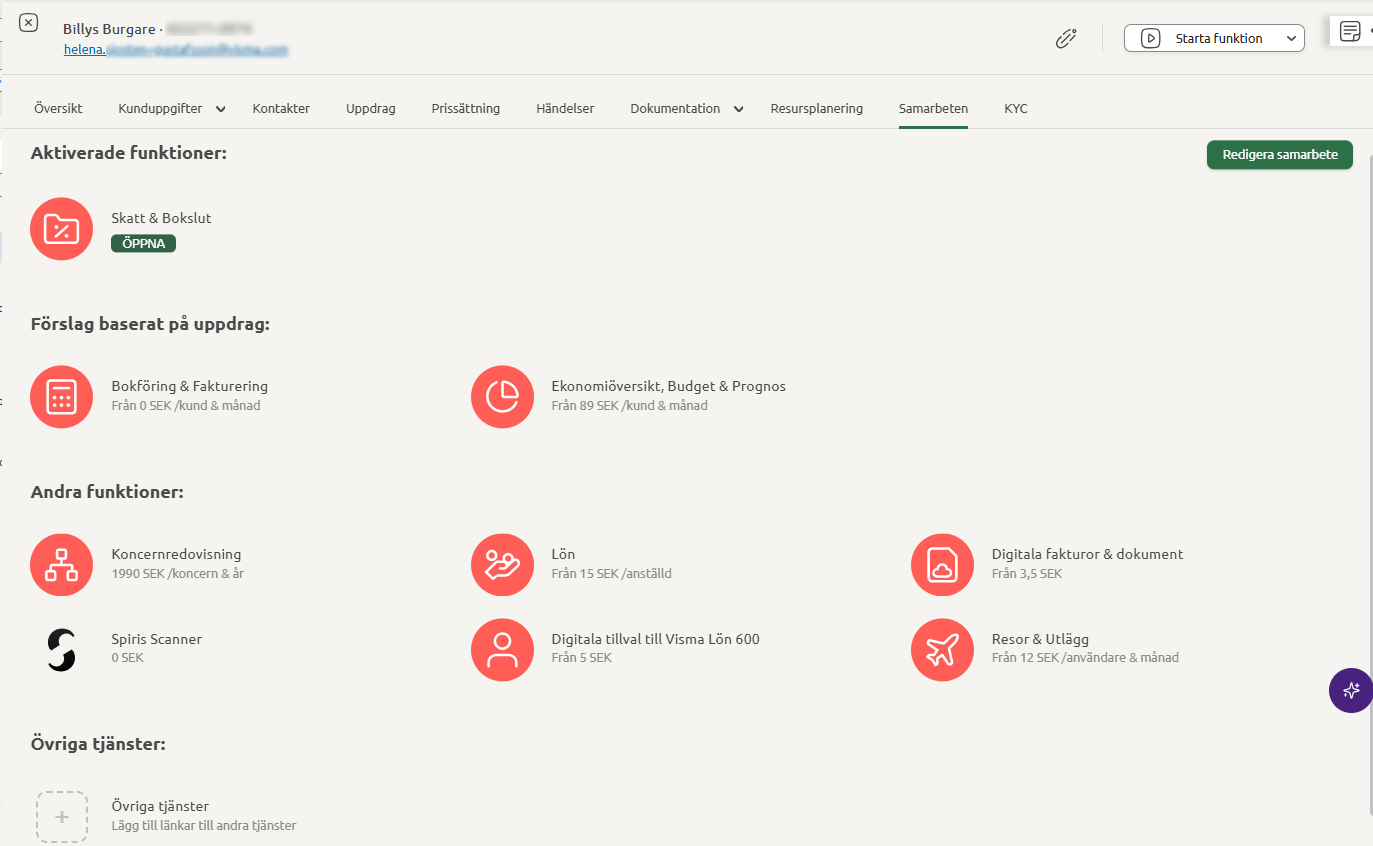
|
Customer approves the collaboration
The customer receives an invitation mail and logs in to Spiris and approves the collaboration. Under Settings - Collaborations and the Sent requests tab, you can keep track of who you sent a request to and whether they accepted your invitation.
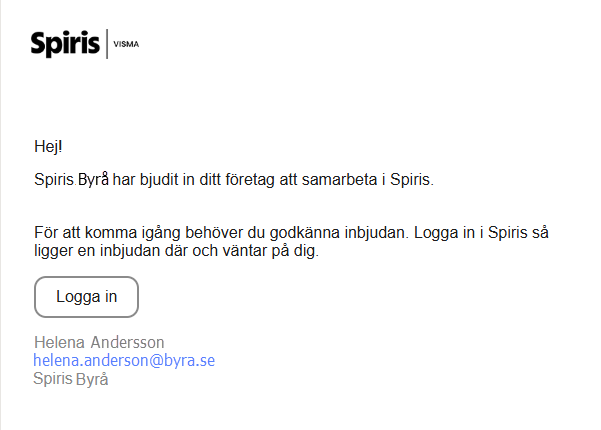
|
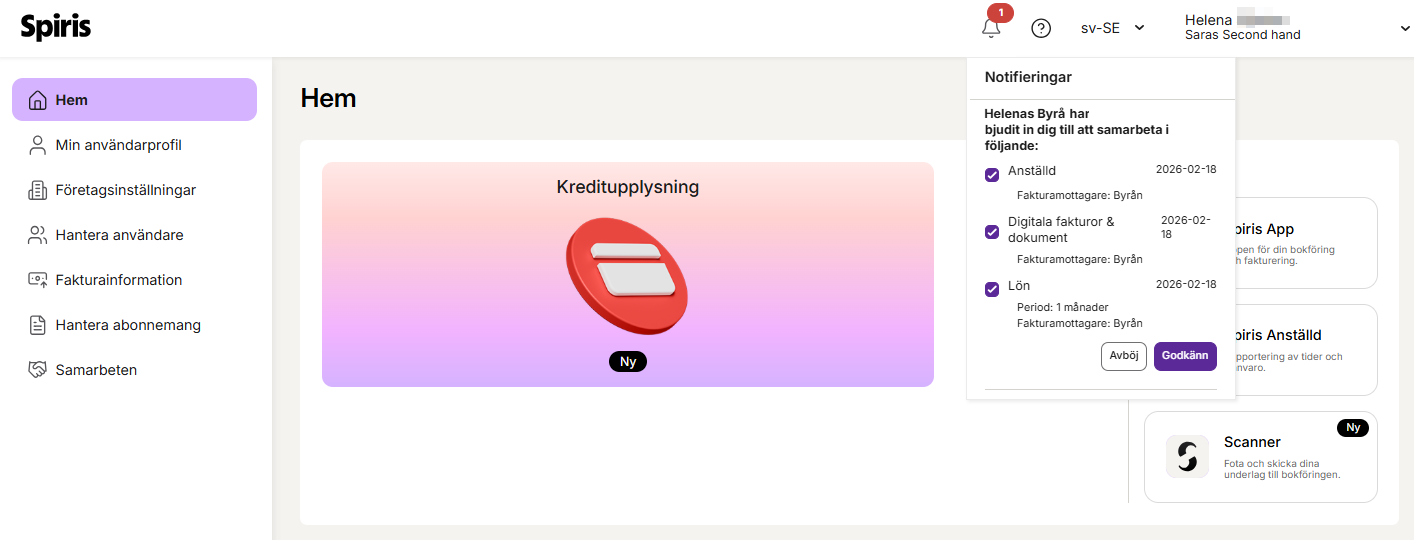
|
Terms_and_conditions_for_your customers_when activating_a_service
Launch the collaboration solution
When the customer has approved the collaboration, you're good to go! You start the solutions by clicking on the Open solutions icon in the customer overview or via the customer card Open solution.

|
Changing or modifying a collaboration
If you want to change the availability of a service or modify a collaboration, for example change the invoice recipient, you can easily do so on the collaboration page for the customer. Go to Settings - Collaborations and select the customer you wish to edit.
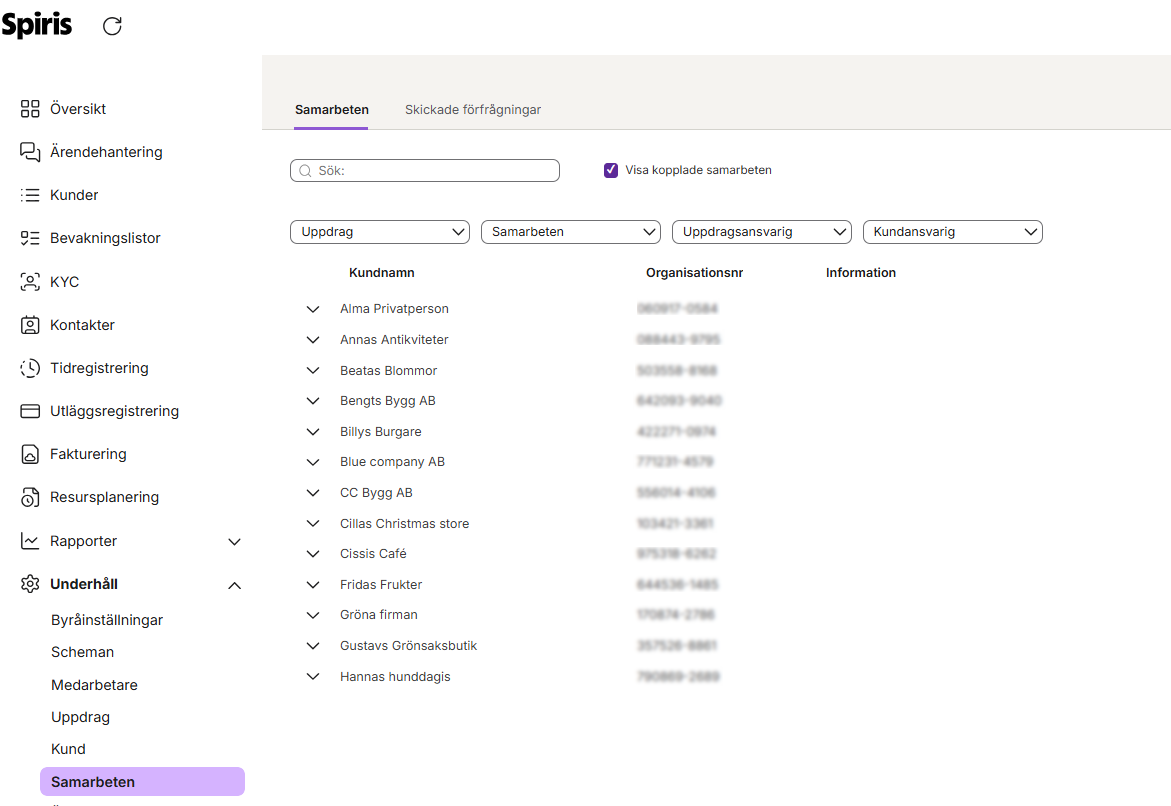
|
Frequently asked questions
General
What do I do if an employee can not access a customer collaboration?
How do I edit a collaboration?
Commonly asked questions about collaborations @ spiris.se
What access should the customer have in a Bookkeeping & Invoicing collaboration
What is included if I activate a collaboration in Approval & Approval & Invoicing?
What is included if I activate a collaboration in Bookkeeping?
What is included if I activate a collaboration in Bookkeeping & Invoicing?
What is included if I activate a collaboration in Bookkeeping & Invoicing - Accountant access?
What is included if I activate a collaboration in Bookkeeping & Invoicing +?
What access should the customer have in a collaboration in Payroll?
Kom igång som byrå i Payroll - Bli effektiv med dina kunder!
Search word: Guide collaboration, start collaboration, collaboration with new customer